expression_if, expression_unless
Change an event when the evaluated result of the expression is true/false.
Example
Send Command+Q only when it has been pressed twice.
{
    "description": "Prevent unintended Command+Q presses by ignoring it unless it's double-pressed",
    "manipulators": [
        {
            "type": "basic",
            "from": {
                "key_code": "q",
                "modifiers": {
                    "mandatory": ["command"],
                    "optional": ["any"]
                }
            },
            "to": [
                {
                    "key_code": "q",
                    "modifiers": ["command"]
                }
            ],
            "conditions": [
                {
                    "type": "expression_if",
                    "expression": "command_q_expiration > system.now.milliseconds"
                }
            ]
        },
        {
            "type": "basic",
            "from": {
                "key_code": "q",
                "modifiers": {
                    "mandatory": ["command"],
                    "optional": ["any"]
                }
            },
            "to": [
                {
                    "set_variable": {
                        "name": "command_q_expiration",
                        "expression": "system.now.milliseconds + 300"
                    }
                }
            ]
        }
    ]
}
Specification
Tip
expression_if and expression_unless are designed to be used with the following features:
{
    "type": "expression_if",
    "expression": expression
}
| Name | Required | Description |
|---|---|---|
type |
Required | "expression_if" or "expression_unless". |
expression |
Required | Target expression. |
Expression specification
expression allows you to write arithmetic expressions,
and you can use variables set by set_variable manipulations and the system-provided variables (e.g, system.*, accessibility.*).
If an undefined variable appears in the expression, its value is treated as 0.
The arithmetic syntax used in expression follows exprtk.
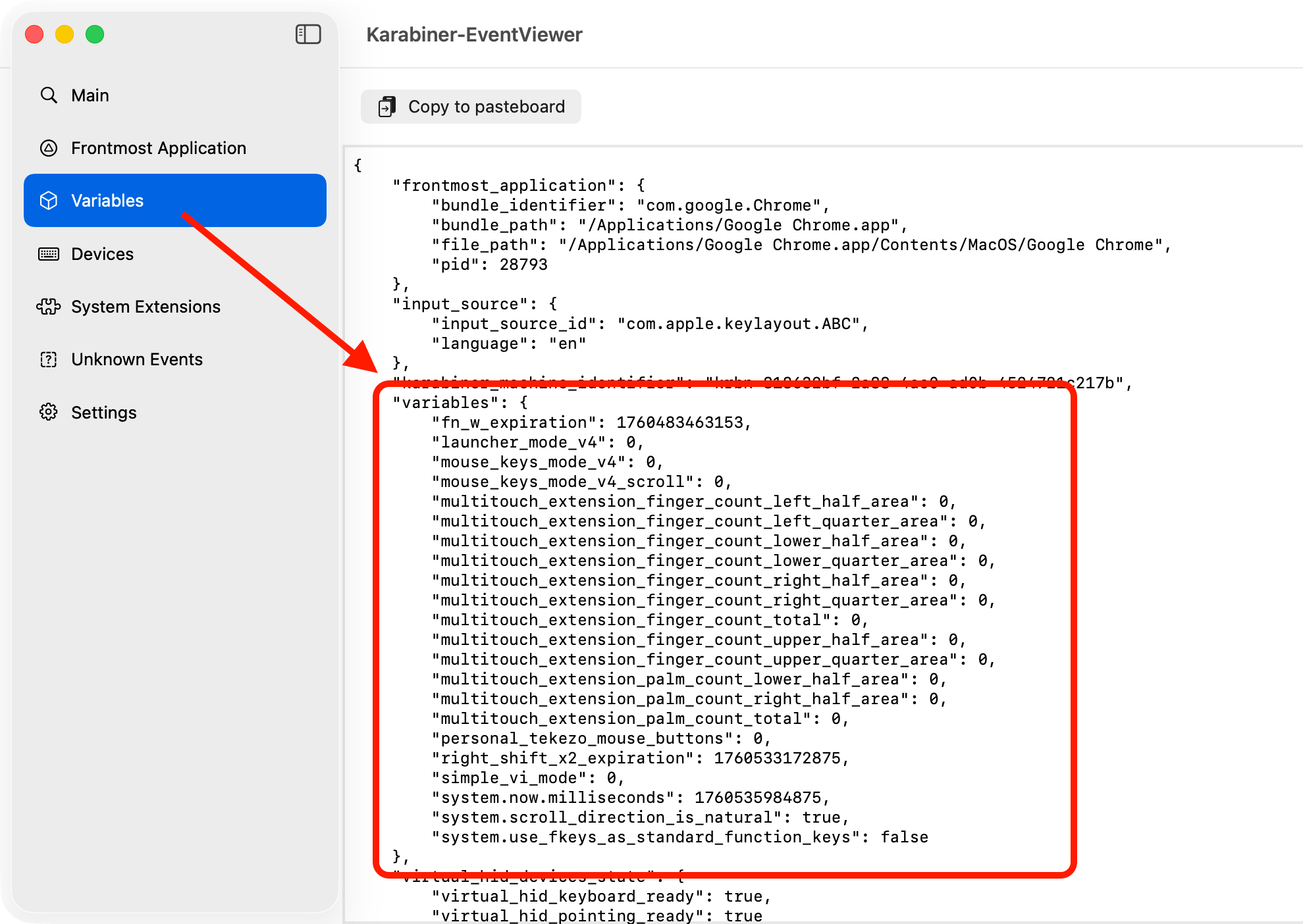
Confirm the current variable values
You can see the current variable values by EventViewer > Variables.